
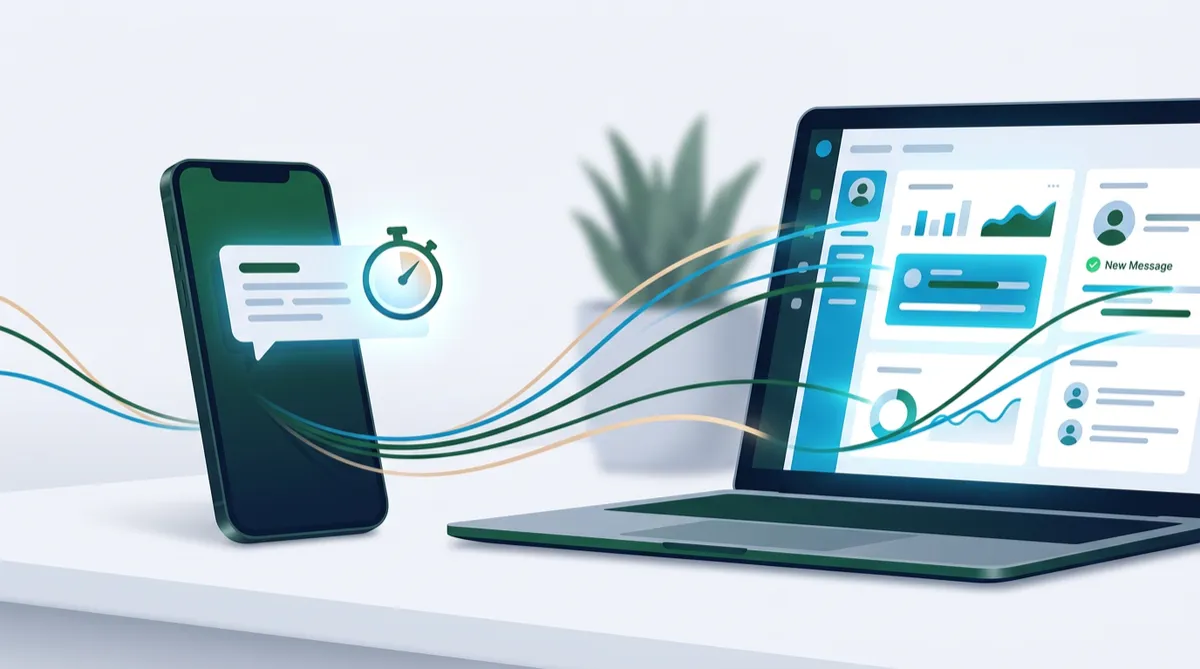
Speed to Lead: How to Automate Instant Follow-Up and Win More Customers
You spent real money to get that new lead. A prospect filled out your form, clicked your ad, or called after hours. Then the clock started. Every minute that passes without a reply, your prospect is also talking to someone else, getting distracted, or simply losing interest. That window is what marketers call speed to lead, and for most local businesses it is the single most overlooked growth lever.
The good news is that you do not need a bigger team to fix it. With the right systems on the OMNI blvd® Platform, you can respond to new inquiries in seconds, day or night, and still keep the conversation personal. This guide explains why response time matters, what a fast follow-up system looks like, and how to build one step by step.
Why Speed to Lead Decides Who Wins the Customer
Buyers rarely submit an inquiry to only one business. They search, compare, and reach out to two or three options in the same sitting. The business that replies first usually frames the conversation, and the others end up playing catch-up. Industry research on lead response has consistently pointed in the same direction: your odds of connecting with a prospect are highest in the first few minutes and fall off quickly after that.
The Hidden Cost of a Slow Reply
Slow response is expensive in ways that rarely show up on a report:
- Wasted ad spend: You paid for the click, but the lead went cold before anyone called.
- Lower close rates: Even when you eventually reach the lead, trust has to be rebuilt from scratch.
- Lost reviews and referrals: Customers who feel ignored at the start seldom become advocates.
- Burned-out staff: Constant inbox checking leads to rushed, inconsistent replies.
Where Leads Slip Through the Cracks
Most delays happen in predictable places: after-hours web forms, ad leads that land in an inbox nobody monitors, missed calls during appointments, and weekend inquiries that wait until Monday. Mapping these gaps is the first step toward closing them.
What a Fast Follow-Up System Looks Like
A strong speed-to-lead system does not replace people. It handles the first touch instantly so your team can step in at the right moment with the right context. Inside the OMNI blvd® CRM, that system has four moving parts.
1. Instant Capture Into One Inbox
Every source should flow into a single contact record: website forms, landing pages, funnels, Facebook and Google lead forms, chat, calls, and texts. When all conversations live in one place, nothing is missed because it arrived through an unexpected channel. This is the foundation of true multi-channel communication.
2. An Automatic First Response
The OMNI blvd® Automation Engine can send a text or email within seconds of a new inquiry. The best first messages are short, human, and useful. For example:
Hi Dana, thanks for reaching out to Palm Coast Plumbing. We received your request and a team member will reply shortly. Is this for a repair or a new installation?
Notice the closing question. It invites a reply, which moves the lead from a form submission into a real conversation.
3. Smart Routing and Task Alerts
Once the first touch is sent, the workflow can assign the lead to the right team member, create a follow-up task, and notify them by app or text. Routing by service type, location, or lead value ensures the person with the right expertise sees the lead first.
4. AI-Assisted Qualification and Booking
The OMNI blvd® AI Suite takes this further. An AI Sales Assistant can answer common questions, qualify the lead with a few friendly questions, and offer open appointment times directly in the conversation. An AI Receptionist can do the same for inbound calls, so the first interaction is never a voicemail box.
How to Build Your Speed-to-Lead Workflow in Seven Steps
- List every lead source. Write down each place a prospect can reach you, including ads, forms, calls, chat, and social messages.
- Connect them all to your CRM. Make sure each source creates or updates a contact and tags where it came from.
- Set a response target. Aim for an automated reply in under one minute and a human follow-up within your business hours.
- Write three short first-touch messages. One for forms, one for missed calls, and one for after-hours inquiries.
- Add a booking link or AI scheduling. Remove back-and-forth by letting prospects choose a time right away.
- Build a follow-up sequence. If there is no reply, send a gentle nudge after a few hours, then a day, then three days, mixing text and email.
- Stop the sequence when they respond. Automation should never talk over a real conversation.
Tone Tips That Keep Automation Feeling Personal
- Use the contact's first name and reference the service they asked about.
- Keep texts under three short sentences.
- Always give a clear next step, such as a question or a booking link.
- Sign with a real team member's name when a person takes over.
A Realistic Example: A Home Services Company
Imagine a local home services company that runs Facebook ads and receives about thirty inquiries a week. Before automation, the office checked new leads twice a day, and many replies went out hours later. After building a speed-to-lead workflow, each inquiry receives a text within a minute, the right technician is alerted, and the prospect is offered two appointment slots right away. Calls that come in while the crew is on a job trigger an instant text back. The owner does not work longer hours. The business simply stops losing the leads it already paid for.
A realistic expectation is a noticeable lift in booked appointments from the same lead volume, because more of the existing leads are reached while their interest is still high. Your results will depend on your industry, offer, and follow-up quality, so measure before and after.
Measuring What Matters
You cannot improve what you do not track. Use OMNI blvd® reporting and dashboards to monitor a short list of metrics:
- Time to first response: Target seconds for automated replies and minutes for human ones.
- Contact rate: The share of new leads that reply or answer.
- Booking rate: The share of leads that schedule an appointment.
- Cost per booked appointment: The metric that connects marketing spend to real outcomes.
- Source performance: Which channels produce leads that actually convert.
Review these monthly and adjust your messages, timing, and routing rules based on what the data shows.
Common Mistakes to Avoid
- Sending a long, generic first message. Short and specific beats polished and vague.
- Ignoring after-hours leads. Evenings and weekends are when many consumers research services.
- Automating without a handoff. Make sure a person is alerted when a lead is ready to talk.
- Skipping consent and compliance. Collect opt-in permission and honor opt-outs for text and email.
- Never testing the workflow. Submit your own form and call your own number regularly to confirm everything fires correctly.
Frequently Asked Questions
How fast should I respond to a new lead?
As fast as you reasonably can. An automated reply within a minute is a strong target, followed by a personal response from your team as soon as someone is available.
Will automated replies make my business feel impersonal?
Not if they are written well. Short, friendly messages that reference the lead's request feel helpful, and they are followed by a real person for anything that needs judgment.
Does speed to lead work for appointment-based and high-ticket businesses?
Yes. Higher-value services often involve more comparison shopping, which makes a fast and professional first response even more important.
Can I use this with leads from paid ads?
Absolutely. Connecting Facebook and Google lead sources to your CRM lets the automation respond the moment a lead arrives, protecting your ad investment.
Do I need technical skills to set this up?
No. The visual builder in the OMNI blvd® Automation Engine uses simple triggers and actions, and our team can build and tune the workflow with you.
Conclusion
Speed to lead is not about working faster. It is about building a system that responds for you the moment someone raises their hand. When every inquiry gets an immediate, helpful reply, your marketing dollars work harder, your team focuses on conversations that matter, and customers feel valued from the first message.
Ready to Stop Losing Leads to Slow Follow-Up?
Let our team map your lead sources and build an instant-response system tailored to your business. Schedule a free consultation with OMNI blvd® and discover how AI and automation can turn more of your inquiries into booked appointments.


