
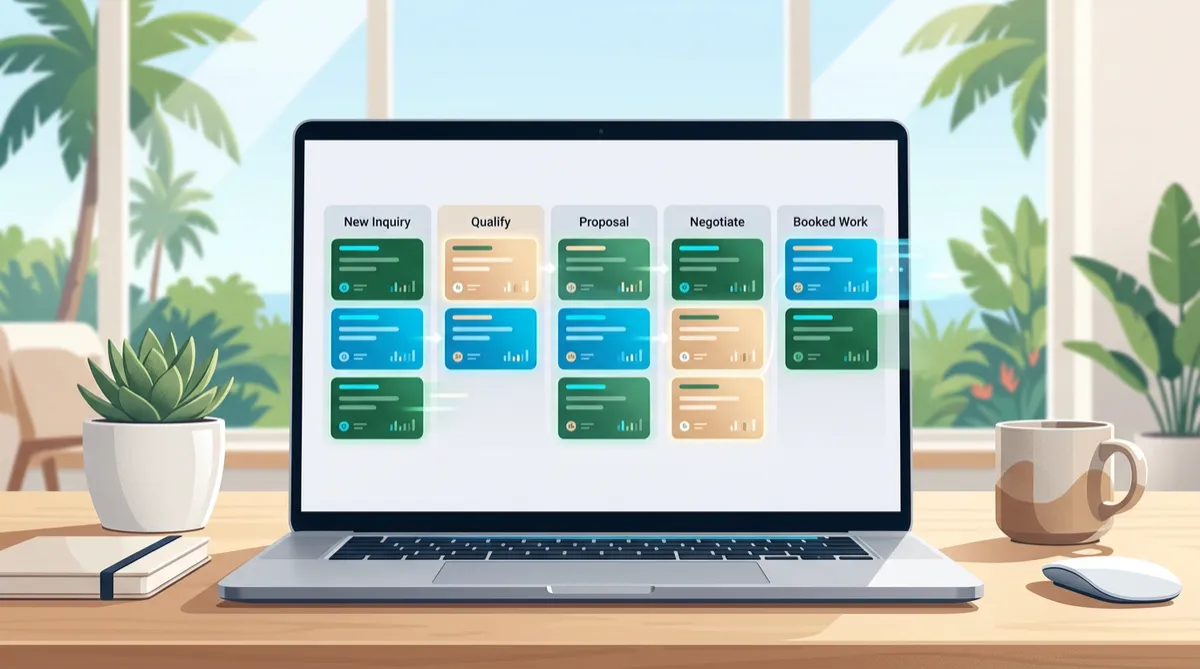
A Practical Sales Pipeline for Sarasota Small Businesses: Five Stages That Keep Leads Moving
A new inquiry can arrive while you are serving a customer, driving between appointments, or closing up for the day. If nobody owns the next step, a promising conversation can quietly disappear. A simple sales pipeline gives a Sarasota small business a shared way to see what is happening, decide what to do next, and follow through consistently.
A pipeline is not just a set of boxes in a CRM. It is a practical map of the buyer’s decision journey. When each stage has a clear meaning and a next action, your team can respond with care without relying on memory or constant check-ins.
What a sales pipeline does for a small business
A sales pipeline organizes prospective customers by where they are in the buying process. It helps owners answer everyday questions: Which inquiries need a reply? Who is waiting for an estimate? What work is likely to book this month? Which opportunities have gone quiet?
For a local service business, that visibility matters. A homeowner may ask about a renovation, a visitor may request a consultation, and a commercial client may need a proposal. These are different conversations, but each needs a clear owner, a useful record, and a timely next step.
Separate activity from progress
Sending a message is an activity. Learning what the customer needs, delivering a relevant estimate, and agreeing on a date are progress. Pipeline stages should describe customer progress—not merely the task your team performed. This makes the board useful for deciding where to focus, rather than just recording a long list of calls.
Build five stages around real customer decisions
Start with a small number of stages. Too few can hide important differences; too many make updates tedious. These five stages work as a starting point for many Sarasota-area service businesses. Rename them to match how your customers actually buy.
- New inquiry: A person has contacted you, but the team has not yet confirmed their need or fit. Assign an owner and a response deadline.
- Qualified conversation: You have made contact and understand the customer’s goal, timing, location, and basic requirements. Record what matters; do not collect details you do not need.
- Estimate or recommendation: The customer is considering a specific service, scope, or option. Note what you proposed, when you sent it, and when you plan to check in.
- Decision pending: The customer is reviewing the proposal, coordinating with someone else, or choosing a date. Set a respectful follow-up that fits their stated timeline.
- Won or closed: The work is booked, or the opportunity is no longer active. Record the outcome so future reporting reflects reality.
Use a separate “not a fit” or “future follow-up” outcome when appropriate. Do not leave old opportunities open indefinitely; a clean pipeline makes current priorities easier to see.
Make every stage actionable
A pipeline only helps when each open opportunity has a next step. Use a simple standard: every active record has an owner, a next action, and a due date. The action should be specific enough that another team member could understand it.
Write notes that help the next conversation
Capture the customer’s goal, preferences, constraints, and promised follow-up. “Interested” is not useful context. “Wants a weekday visit after 3 p.m.; comparing two service options; call Friday” gives a teammate something concrete to work with. Keep notes factual and relevant, and avoid sensitive personal details that are not needed to serve the customer.
Use a follow-up rhythm, not a barrage
Agree on a response standard for new inquiries and a thoughtful cadence for estimates. For example, a business might reply promptly during staffed hours, check whether an estimate arrived the next business day, and follow up again on the date the customer requested. The right timing depends on the service and the buyer; respect opt-outs and communication preferences.
Workflow automation can create reminders, assign an inquiry, or send an appropriate acknowledgment when a record enters a stage. Keep automated messages short, accurate, and easy to answer. Automation should support a real human relationship—not disguise a generic message as a personal conversation.
A Sarasota example: from first question to booked work
Imagine a local home-services company receives a request for an outdoor project. The inquiry enters “New inquiry,” and a coordinator is assigned to respond. After learning the property location, desired timeline, and project scope, the coordinator moves it to “Qualified conversation” and records the customer’s preferred contact method.
After a site visit, the company sends an estimate and sets a reminder for the agreed follow-up date. The customer asks for a few days to review it, so the opportunity remains in “Decision pending” rather than being marked as lost. When the customer approves, the record moves to “Won,” and the team can hand off the details for scheduling. If the customer chooses another provider, the team records that outcome respectfully instead of continuing to send reminders.
The value is not a complicated process. It is that everyone can see the same facts and the customer does not need to repeat the story at every handoff.
Choose a few metrics you will actually use
Review pipeline health weekly or monthly, depending on your volume. Begin with a few practical measures:
- First-response time: How quickly are new inquiries receiving a useful reply?
- Stage aging: How long do opportunities remain in each stage, and where do they stall?
- Stage conversion: What share of qualified conversations receive an estimate or progress to a decision?
- Win rate: How many closed opportunities become booked work? Define the calculation consistently.
- Open value and expected timing: What work may be coming, and when—not as a guarantee, but as a planning signal?
Look for patterns before drawing conclusions. A slower month may reflect seasonality, capacity limits, or a change in inquiry quality. Metrics are prompts for better questions, not a reason to pressure customers or promise revenue that is not certain.
Set up the CRM without overbuilding it
Begin with your real process and add structure only when it solves a recurring problem. A lightweight setup can include:
- Clear stage names and one-sentence definitions.
- One accountable owner for every open opportunity.
- A required next action and due date for active records.
- A small set of useful fields, such as service type, inquiry source, and target timing.
- Reminders or workflow automation for handoffs and follow-up.
- A regular review to close stale records and improve the process.
Connect the pipeline to your broader customer journey where it helps. The OMNI blvd® AI Receptionist can help capture routine inquiries when staff are unavailable; review automation can support a consistent post-service request; local SEO and answer-focused content can help people discover useful information. Keep each tool tied to a defined customer need, and make sure a person can step in when a conversation needs judgment.
Common pipeline mistakes to avoid
- Too many stages: If staff cannot explain the difference between two stages, combine or clarify them.
- Unowned records: A team inbox is not accountability; assign one person to the next step.
- Vague follow-up: Replace “check in” with a specific action and a suitable date.
- Ignoring closed outcomes: Record why opportunities end when that information is available and appropriate. Use the pattern to improve service, not to blame staff.
- Automating before the process works: First agree on the human workflow, then automate predictable reminders and handoffs.
- Forecasting as certainty: Pipeline value is an estimate. Keep assumptions visible and avoid treating unapproved work as guaranteed income.
Frequently asked questions
How many stages should a small business use?
Start with four to six stages that correspond to meaningful customer decisions. Add a stage only when it changes what your team should do or helps you understand performance.
Is a sales pipeline useful for a one-person business?
Yes. A simple pipeline can serve as a personal follow-up system, helping a solo owner remember who is waiting for an answer, estimate, or scheduled next step.
When should an opportunity be closed?
Close it when the customer books, declines, becomes unreachable after your agreed process, or is no longer a fit. If the customer asks you to reconnect later, use a future follow-up date instead of treating it as active near-term work.
What should I automate first?
Automate low-risk, repeatable support such as assigning a new inquiry, creating an internal reminder, or acknowledging receipt. Keep estimates, sensitive questions, and decisions that require context under human review.
Conclusion: make the next step easy to see
A useful pipeline is simple enough to maintain and clear enough to guide action. Define stages around customer decisions, give each open opportunity an owner and next step, and review a handful of measures regularly. With a well-organized OMNI blvd® CRM and thoughtful workflow automation, a Sarasota small business can create a more dependable experience from first inquiry through booked work—without making the process feel impersonal.
Want to see how a practical pipeline could fit your team? Request a no-pressure OMNI blvd® CRM walkthrough and bring one recent customer journey to map together.


