Lead Capture Forms That Convert: 8 Design Rules + Automation
Your website can attract hundreds of visitors a month and still produce almost nothing, simply because the one form standing between a curious visitor and a real conversation is clumsy. A form is the smallest piece of your marketing, yet it is the doorway every lead walks through. Make it awkward and people leave. Make it effortless and it becomes your quietest, hardest-working salesperson.
In this guide, we will walk through eight practical design rules for lead capture forms, show what should happen in the first five minutes after someone submits, and share a simple way to measure whether your form is actually helping your business grow. Everything here can be built inside the OMNI blvd® Platform without writing a line of code.
Why Your Lead Capture Form Deserves More Attention
Most business owners spend weeks on a homepage design and ten minutes on the form. Yet the form is where intent turns into a contact record. Consider a plumbing company that receives 600 website visits a month. If the form converts at 2%, that is 12 leads. Lift it to 5% through better design, and the same traffic produces 30 leads, with no extra advertising spend.
The second half of the story is what happens after the click. A visitor who submits a form is at peak interest. Every hour of silence cools that interest, which is why the best-performing businesses pair great forms with automated, immediate follow-up.
8 Design Rules for Forms That Convert
1. Ask only for what you need right now
Every extra field lowers completion. For a first conversation, you typically need a name, a mobile number, and an email address. Everything else can be collected later through a conversation or a short follow-up survey. If you are unsure whether to keep a field, ask: "Will we act differently tomorrow because of this answer?" If not, remove it.
2. Use a single, clear promise
The headline above your form should say what the visitor receives, not what you want from them. Compare "Contact Us" with "Get Your Free Quote in 24 Hours." The second sets an expectation and gives a reason to act.
3. Make the button say something useful
"Submit" is a missed opportunity. Try action-oriented labels such as "Book My Free Estimate" or "Send Me the Checklist." The button text is the last thing a visitor reads before deciding.
4. Design for thumbs first
More than half of local searches happen on a phone. Use large tap targets, short labels above each field, and the right keyboard for each input, such as a numeric keypad for phone numbers. Test the form on your own phone before you publish it.
5. Add one trust signal
Place a short line near the button: a star rating, a review count, or a simple privacy note like "We never share your information." You do not need a wall of badges. One honest signal is enough to calm hesitation.
6. Capture consent the right way
If you plan to text or call leads, include clear, unchecked consent language for SMS and email. This protects your business and builds trust. It also keeps your messaging compliant, which matters more every year.
7. Use conditional logic to keep long forms short
If you do need more detail, such as service type, show follow-up questions only when relevant. A visitor who selects "Roof repair" does not need to see questions about "Roof replacement financing." Smart branching keeps the experience feeling short even when your data needs are real.
8. Give a clear thank-you moment
After submission, never leave visitors staring at a blank page. Show a confirmation that restates what happens next, such as "Expect a text from us within two minutes," and offer an immediate next step, like picking a time on your calendar.
What Should Happen in the First Five Minutes
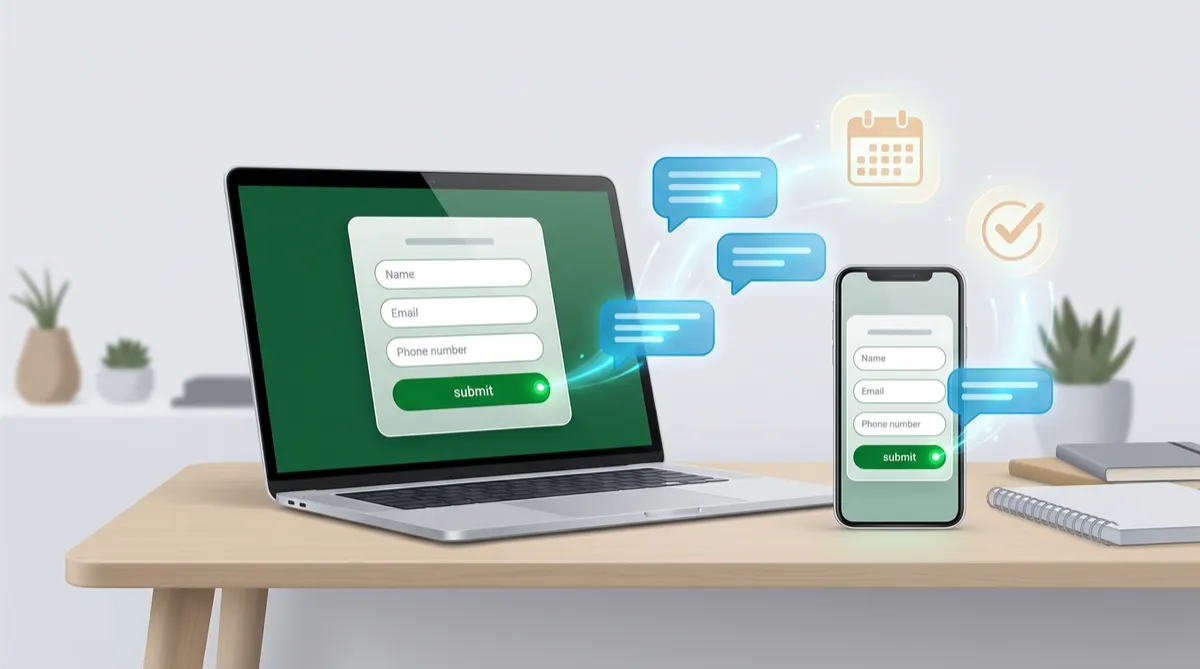
A beautiful form is only half of the system. The moment someone submits it, the OMNI blvd® Automation Engine can take over so no lead waits for a human to notice. A strong first-five-minutes sequence looks like this:
- Instant record creation. The submission creates or updates a contact in the OMNI blvd® CRM, with the source and page tagged automatically.
- Immediate text and email. A short, friendly message confirms receipt and includes a booking link.
- Internal alert. The right team member receives a notification with the lead's details and what they asked about.
- Pipeline placement. A new opportunity appears in the first stage of your sales pipeline, so nothing falls through the cracks.
- AI-assisted conversation. If the lead replies, the OMNI blvd® AI Suite can answer common questions, qualify the request, and offer appointment times around the clock.
A simple example
Imagine a dental office with a "Request an Appointment" form. A new patient submits it at 8:40 PM. Within seconds, they receive a text: "Thanks, Maria! We received your request. Want to pick a time that works? Here is our calendar." She books a Thursday morning slot before she turns off the lights. Without automation, that request would have waited until the next morning, and Maria may well have called a competitor in the meantime.
Route Leads Based on What They Tell You
Forms are also a quiet source of segmentation. A dropdown for "What are you interested in?" can drive different follow-up paths automatically:
- Urgent requests trigger a same-day call task for your team.
- Pricing questions receive an email with a transparent price guide.
- Early-stage researchers enter a gentle, educational nurture sequence over several weeks.
This simple routing means every lead feels like the message was written just for them, because in a sense it was.
Where to Place Forms on Your Website
Placement matters nearly as much as design. A few reliable locations include:
- Above the fold on service pages, where visitors with buying intent land.
- At the end of helpful articles, offering a related checklist or consultation.
- On a dedicated landing page for each ad campaign, matching the ad's promise exactly.
- Inside a sticky header button that opens a short form on any page.
If you already run paid ads or local SEO campaigns, remember that a dedicated landing page with one form and no distracting navigation typically outperforms sending traffic to a general homepage.
How to Measure Whether Your Form Is Working
You cannot improve what you do not track. Use your OMNI blvd® dashboards to monitor these four numbers weekly:
- Form conversion rate: submissions divided by visitors to the page.
- Speed to first response: how many minutes pass between submission and first reply.
- Booking rate: the percentage of leads who schedule an appointment.
- Lead source quality: which pages and campaigns produce leads that actually become customers.
Change one thing at a time, such as the button text or the number of fields, and give each change at least two weeks before judging the result. Small, steady improvements compound into significant revenue.
Common Mistakes to Avoid
- Asking for a phone number with no explanation. Tell visitors you will text them a confirmation, and the field feels reasonable.
- Forgetting to test automations. Submit your own form monthly to confirm every message, alert, and pipeline step still works.
- Using a generic confirmation page. A missed opportunity to guide the next step.
- Sending too many messages too fast. One helpful text and one email are plenty at the start.
Frequently Asked Questions
How many fields should a lead capture form have?
For most local businesses, three to five fields is a healthy range. Start with name, phone, and email, then add a single qualifying question only if it genuinely changes how you respond.
Should I use a multi-step form or a single-page form?
Multi-step forms often perform well when you need more than five fields, because the first step feels easy and creates momentum. For short forms, a single page is usually faster and simpler.
How quickly should I respond to a new form submission?
As quickly as possible. Aim for under five minutes. Automated text and email responses make this achievable at any hour, including nights and weekends.
Do I need consent to text people who fill out my form?
Yes. Include clear consent language near the button so people know they may receive text messages from your business. Keep a record of the consent inside your CRM.
Can forms connect to my calendar and pipeline?
Absolutely. With the OMNI blvd® Platform, a single submission can create a contact, start a workflow, notify your team, and offer live calendar booking, all in one connected system.
Conclusion
A high-converting form is not about clever design tricks. It is about respect for your visitor's time: ask less, promise clearly, and respond instantly. When thoughtful form design meets automated follow-up, the same website traffic you already have starts producing more conversations, more appointments, and more loyal customers.
Start small this week. Remove one unnecessary field, rewrite your button text, and set up an instant confirmation message. Then watch what happens to your numbers.
Ready to Turn More Visitors Into Customers?
Explore the OMNI blvd® Platform and see how connected forms, CRM, automation, and AI can capture and convert every lead. Request a demo today and discover how AI and automation can grow your business.


