
Client Onboarding Automation: A 7-Step Workflow That Wins Trust From Day One
The moment a customer says "yes" is the moment your reputation is on the line. Until then, you were selling a promise. Now you have to keep it. Yet in many small businesses, the first week after a sale is a patchwork of scattered emails, missing paperwork, and a calendar invite that arrives three days late.
That gap is where excitement turns into doubt. Client onboarding automation closes it by making sure every new customer receives the same fast, clear, welcoming experience, whether you are in the office or on a job site. In this guide, you will learn why onboarding deserves its own system, the seven steps of a workflow you can build this month, and how to measure whether it is working.
Why Onboarding Is the Most Overlooked Growth System
Most owners invest heavily in lead generation and closing, then treat onboarding as an afterthought. But the first days of a relationship set expectations for everything that follows: how responsive you are, how organized you are, and how much confidence the customer should have in you.
The Hidden Cost of a Slow Start
When onboarding is manual, small delays pile up. A contract waits for someone to remember to send it. An intake form never gets filled in because nobody followed up. A kickoff call is scheduled through six back-and-forth messages. Each delay is minor, but together they create a feeling of friction that customers remember.
- Buyer's remorse grows in the silence between purchase and first contact.
- Your team repeats work by re-entering the same details in different places.
- Projects start late because information arrives incomplete.
- Referrals and reviews suffer because the early experience felt disorganized.
What Great Onboarding Looks Like
A strong onboarding experience is fast, personal, and predictable. The customer always knows what happens next, what is expected from them, and who to contact. Automation handles the repeatable parts so your people can spend their time on the human parts: listening, advising, and building the relationship.
The 7-Step Client Onboarding Workflow
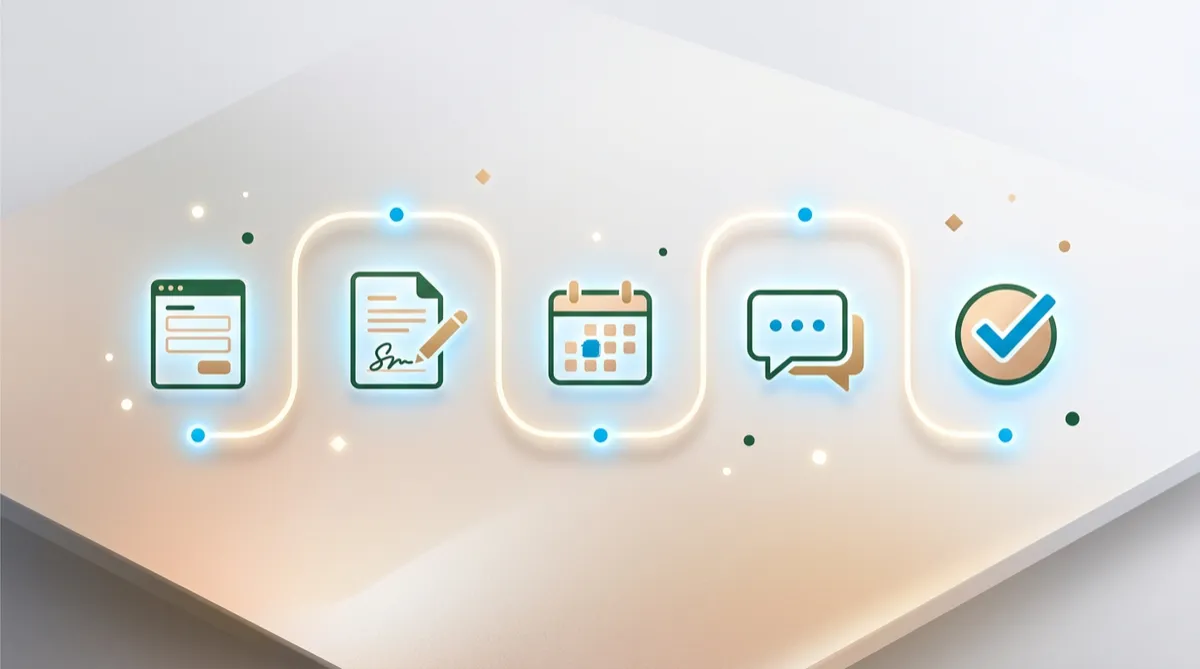
The workflow below can be built inside the OMNI blvd® Automation Engine, with every step connected to a single contact record in the OMNI blvd® CRM. Adapt the wording to your industry, but keep the order.
1. Trigger the Workflow the Instant a Deal Is Won
Onboarding should start without anyone pressing a button. Set the workflow to begin when an opportunity moves to your "Won" stage in your pipeline, or when a payment is received. This single trigger removes the most common failure point: someone forgetting to start.
2. Send a Warm Welcome Within Minutes
Send a personal-sounding text message and a short email right away. Use the customer's first name, thank them, and tell them exactly what will happen over the next few days. Speed matters here. A welcome that lands within minutes feels attentive; one that lands tomorrow feels routine.
Tip: Include a name and photo of the person they will work with. Familiar faces build trust faster than logos.
3. Collect Information With One Smart Intake Form
Instead of asking questions across five emails, send one mobile-friendly form. Ask only for what you truly need to start, such as contact preferences, goals, key dates, and any access or account details. Responses should flow directly into custom fields on the contact record so nothing has to be copied by hand.
- Keep it under ten questions where possible.
- Use conditional logic so people only see relevant questions.
- Explain why you are asking, especially for sensitive details.
4. Send Agreements for Electronic Signature
Proposals, service agreements, and waivers can be sent and signed from a phone in under a minute. Trigger the document automatically once the intake form is submitted, so the customer is never waiting on you. When the signature arrives, the workflow should update the contact, notify your team, and move on to the next step.
5. Let Clients Book Their Own Kickoff Call
Include a booking link to your calendar in the next message. Customers choose a time that works for them, receive an instant confirmation, and get automated reminders by text and email. Appointment scheduling that runs on its own removes the back-and-forth and sharply reduces no-shows.
6. Deliver a Short Welcome Sequence
Over the first two weeks, send a small number of useful messages: what to expect, a quick-start checklist, answers to common questions, and a link to your support options. If a customer replies at any point, the automation should pause and alert a team member so a real person takes over.
This is also where an OMNI blvd® AI Agent can help. It can answer routine questions by chat or text at any hour, such as "Where do I upload my documents?" or "What time is my appointment?", and hand off anything complex to your team with the full conversation attached.
7. Ask for Feedback and Set Up the Next Touchpoint
At the end of the first couple of weeks, send a two-question survey: how is the experience so far, and is there anything we could do better? Positive responses can trigger a review request. Neutral or negative responses should alert a manager immediately, while there is still time to fix the issue. Finally, schedule a check-in so the relationship continues beyond onboarding.
A Practical Example: A Local Wellness Studio
Consider a hypothetical wellness studio in Sarasota that sells membership packages. Before automation, the owner emailed a welcome note when she remembered, handed over paper waivers at the first visit, and booked orientation sessions by text. New members regularly arrived unprepared, and the front desk spent the first ten minutes collecting basic details.
After building the seven-step workflow, the experience changed:
- A paid membership triggers the welcome text and email instantly.
- A short health and goals form arrives on the member's phone.
- The waiver is signed electronically before the first visit.
- The member books an orientation from a link and receives reminders.
- A friendly two-week sequence introduces classes, policies, and the community.
- A quick survey surfaces any concerns early.
The result is not magic; it is consistency. The staff walk into every orientation with the information they need, and every member gets the same polished start.
Best Practices for Better Onboarding Automation
- Map the journey on paper first. List every step a new customer should experience before you build anything.
- Write like a person. Short, warm messages outperform formal templates.
- Use more than one channel. Combine SMS, email, and phone so important messages are seen.
- Build in a human off-ramp. Always make it easy for customers to reach a real person.
- Respect consent. Only message people who have agreed to hear from you, and always honor opt-outs.
- Test before launch. Run yourself through the workflow as a customer and fix anything confusing.
How to Measure the ROI of Onboarding Automation
You do not need a complicated report to know whether your workflow is paying off. Track a handful of numbers on a simple dashboard:
- Time to first contact: how many minutes pass between the sale and the welcome message.
- Time to complete paperwork: how many days it takes to receive signed documents and intake answers.
- Kickoff attendance rate: the share of scheduled kickoff calls that actually happen.
- Early satisfaction score: responses to your two-week survey.
- Staff hours saved: the administrative time no longer spent chasing information.
Compare these figures for new customers before and after you launch. Even modest improvements compound over a year, because happier customers stay longer, buy more, and refer others.
Frequently Asked Questions
What is client onboarding automation?
It is the use of workflows to handle the repeatable steps that follow a sale, such as welcome messages, intake forms, agreements, scheduling, and follow-up, so every customer gets a consistent experience without manual effort from your team.
Will automation make onboarding feel impersonal?
Not when it is designed well. Automation takes care of timing and logistics, which frees your team to be more present in the conversations that matter. Personal details, a named point of contact, and an easy way to reach a person keep the experience human.
How long does it take to set up?
A simple version of the seven-step workflow can usually be built in a day or two once your forms, documents, and calendar are ready. Many businesses start small and refine the workflow after reviewing their first few customers' journeys.
Does this work for service businesses of every size?
Yes. Solo professionals benefit from the time saved, while growing teams benefit from consistency across staff members. Any business that has a repeatable process after the sale can use onboarding automation.
Conclusion
Great onboarding is not about fancy technology. It is about making a new customer feel confident that they chose the right business. When the welcome is instant, the paperwork is easy, and the next step is always clear, trust grows quickly, and everything that follows becomes easier to deliver.
Start by mapping the seven steps for your own business, then automate them one at a time. Within a few weeks, you will have a system that works every day, even on your busiest ones.
Ready to Build a Better First Impression?
Want help turning this workflow into a reality? The team at OMNI blvd® can map your customer journey and set it up inside the OMNI blvd® Platform for you. Schedule a free consultation today and discover how AI and automation can help your business welcome every new customer like your best one.


